

Digital Permit to Work Malaysia | QR Site Access
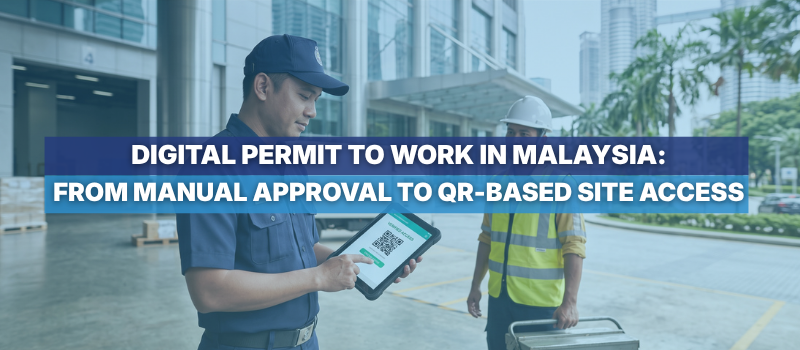
Digital Permit to Work in Malaysia: From Manual Approval to QR-Based Site Access
Before Permit to Work was digitalised, getting approval for anything meant a walk up three floors to the management office to collect a form, filling it in by hand, then heading down to the basement to get it stamped by security. Then came the wait for a fire safety briefing to be arranged before the approval was actually complete. If the person handling it happened to be away from their desk, the whole thing could drag out for hours, with nothing to do but wait.
The real issue is the disconnected process around the Permit to Work, not the document itself.
In many shopping malls, corporate towers and large facilities, contractors may still need to collect a form, complete it manually, attach documents, obtain signatures, attend a safety briefing, and present the approved permit to security. Each step has a purpose. The challenge is that information moves between tenants, contractors, property management, safety teams and security through separate channels.
A digital Permit to Work should do more than turn a paper form into a PDF. It should connect the application, review, safety checks, approval and site-access verification in one traceable workflow.
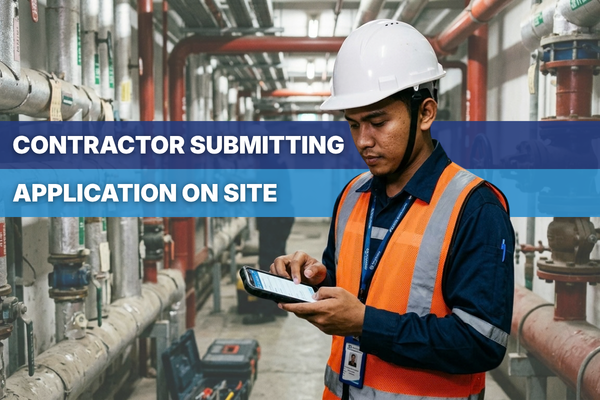
Getting to Know the Permit to Work System: What a Permit to Work Must Control
A Permit to Work is a formal process for managing work-related safety and operational risks. It helps confirm the work scope, location, timing, workers, hazards, required controls and approval.
Malaysia's Department of Occupational Safety and Health (DOSH) highlights hazard assessment, control measures, worker competency, PPE, emergency actions and worker briefings as key elements of a PTW process. See DOSH's Permit to Work guidance.
Digitalisation doesn't replace these checks; it makes sure the right information reaches the right people before work starts, which helps protect the building if an incident is ever investigated and the process comes into question.
The Problem: Where Manual Permit to Work Processes Become Disconnected
Repeated handoffs: I have had to walk the same form to three departments in a single day, racing a deadline that felt worse right before Chinese New Year: management for the initial stamp, safety for the briefing sign-off, security for the final check, each confirmed only by a verbal promise that it was done. When everyone communicated properly, this worked fine. When one handoff got missed, the delay was unnecessary and entirely avoidable.
Incomplete submissions: Missing worker details, documents or signatures are often discovered only after the form reaches an approver.
Limited status visibility: Tenants and contractors call or message different people to ask whether an application has been approved.
Approval and access are separated: Security may receive a printed list, screenshot or verbal instruction that is difficult to verify against the latest approval.
Records are difficult to retrieve: Paper permits and email attachments make it harder to trace who reviewed an application and when.
From Manual Handoffs to a Connected Digital Workflow
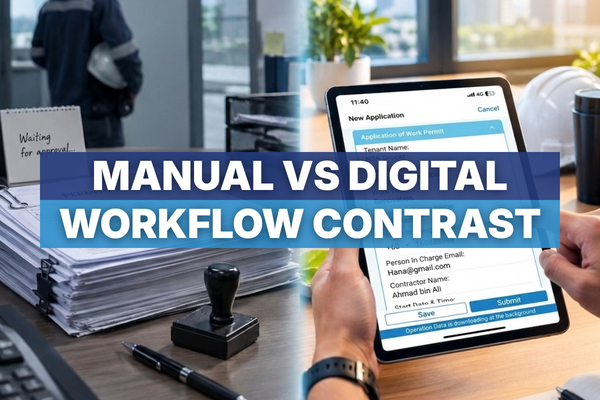
"What changes isn't where the form lives; it's how verified information moves from one stage to the next."
|
Manual PTW Workflow |
Connected Digital PTW Workflow |
|
Collect a physical form from the management office |
Open an online form through the web, mobile app, shareable link or QR code |
|
Complete the form and attach documents manually |
Submit worker details, work scope and supporting documents in a structured form |
|
Carry the form between management, safety and security |
Notify designated persons in the system for review and approval |
|
Call or message to check the application status |
Track application status through in-app and email notifications |
|
Arrange the safety briefing as a separate activity |
Record required checks or briefing completion as part of the controlled process |
|
Show a stamped permit or printed list at the entrance |
Verify approved workers and the valid permit period through connected visitor access |
|
File the permit for future reference |
Retain a searchable record of the submission, status and approval history |
Connecting Approval With Site Access
A Permit to Work can be properly approved and still create operational issues if security cannot verify it. This often happens when the approval and access-control processes are managed separately.
Connecting the two creates a clearer handover. Security can confirm that the worker is listed, the permit is approved, and the access period is still valid. Depending on the setup, a worker's photo can also be included for verification. This reduces the need for property management to repeat the same information through calls, messages, or printed lists.
Importantly, connecting PTW approval with site access does not mean every approved contractor receives unrestricted building access. Access should remain limited by the approved worker list, permit duration, work location, and the building's own security procedures.
This connected approach can support different property environments, including:
Shopping malls: I once managed a lion-dance troupe's opening performance for my store, and the paperwork just to get them onto the property was frustrating. After submitting the forms and performer names, nothing moved until the management office confirmed the insurance permit. Even with that confirmed, security sometimes still blocked entry on the day and needed a second call to the building manager before letting them through. A connected system like ServeDeck's would let security verify the approved permit and worker details in real time, without needing to double-check anything by phone. This is the same pattern behind tenant renovations, fit-out work, after-hours maintenance, lifting work, and controlled contractor entry.
Corporate towers: Mechanical and electrical maintenance, ceiling or riser access, shutdown-related work, and contractor movement through secured areas.
Institutional and regulated facilities: Work requiring clear approval responsibilities, controlled access, and retrievable records across multiple stakeholders.
How ServeDeck's Digital Permit to Work System Functions
- Submit Application — Tenant, contractor, or internal team submits the work scope, location, date, time, worker details, and supporting documents through a customised digital form.
- Review & Assign Approval — The designated PIC receives a notification and reviews the application. Role-based approval ensures it reaches the authorised person.
- Complete Safety Checks — Required risk assessments, safety briefings, competent reviews, and other checks are completed and recorded.
- Approve & Record — The authorised person approves the application. The system keeps the current status and approval history digitally for easy tracking.
- Verify Site Access — Approved workers are linked to visitor management for the authorised permit period. Security can verify the approved worker and access details.
- Track & Review — Permit records can be searched or exported, helping management review application volumes, delays, and recurring work types.
Important: The QR code only verifies an already-approved permit; it isn't the permit itself. Depending on the building's access-control setup, approved worker details may also be linked to visitor management or facial-recognition access for the authorised period.
The Outcome: What Digital Permit to Work System Should Deliver
A useful Permit to Work system should fit the building's workflow while keeping safety controls in place. Key capabilities include:
- Customisable digital forms and document uploads
- Web, app or shareable-link submission
- Designated approvers and role-based permissions
- Status notifications and approval history
- Integration with work orders and visitor management
- Time-bound worker and access verification
- Searchable records and reporting
Risk assessments, safety briefings and competent approval still matter; digitalisation just puts everyone on the same current information. Contractors know what is required, approvers can review without chasing paperwork, and security can verify access against the approved permit.
The result is a connected PTW process that improves visibility and control from application to site entry without cutting safety corners.
Next Step:
Ready to digitalise your Permit to Work workflow?
Explore ServeDeck's digital Permit to Work software in Malaysia or request a demo to discuss your building's approval and access process.
About the Author
Eric Low is a Marketing Manager with over 12 years of experience across B2B, retail and partnerships. Since 2024, he has been with ServeDeck, working closely with the facility management industry through marketing, industry engagement and PropTech solutions.
More about Eric: ericlow.my
SHARE THIS POST:
Comments (0)
Leave a Reply
Your email address will not be published. Required fields are marked *